 TrapProof Training
All guides › Restaurants
Requesting a Pump-Out and Choosing a Hauler
What You Will Learn
By the end you will be able to:
- ask for a pump-out outside the normal schedule,
- know who receives your request,
- choose a different hauler from your city's approved list,
- follow what happens next.
Before You Start
- Sign in as a restaurant user and open your Compliance Record. In the demo choose Restaurant.
How It Fits Together
Restaurants normally deal with their hauler: it does the work. The city sets the rules, keeps the list of approved haulers and inspects. So a pump-out request goes to the hauler your trap is assigned to. If the trap has no hauler yet, it goes to the city, which assigns one. An overflow is an emergency, so the city is told as well.
Step by Step
1. Request a Pump-Out
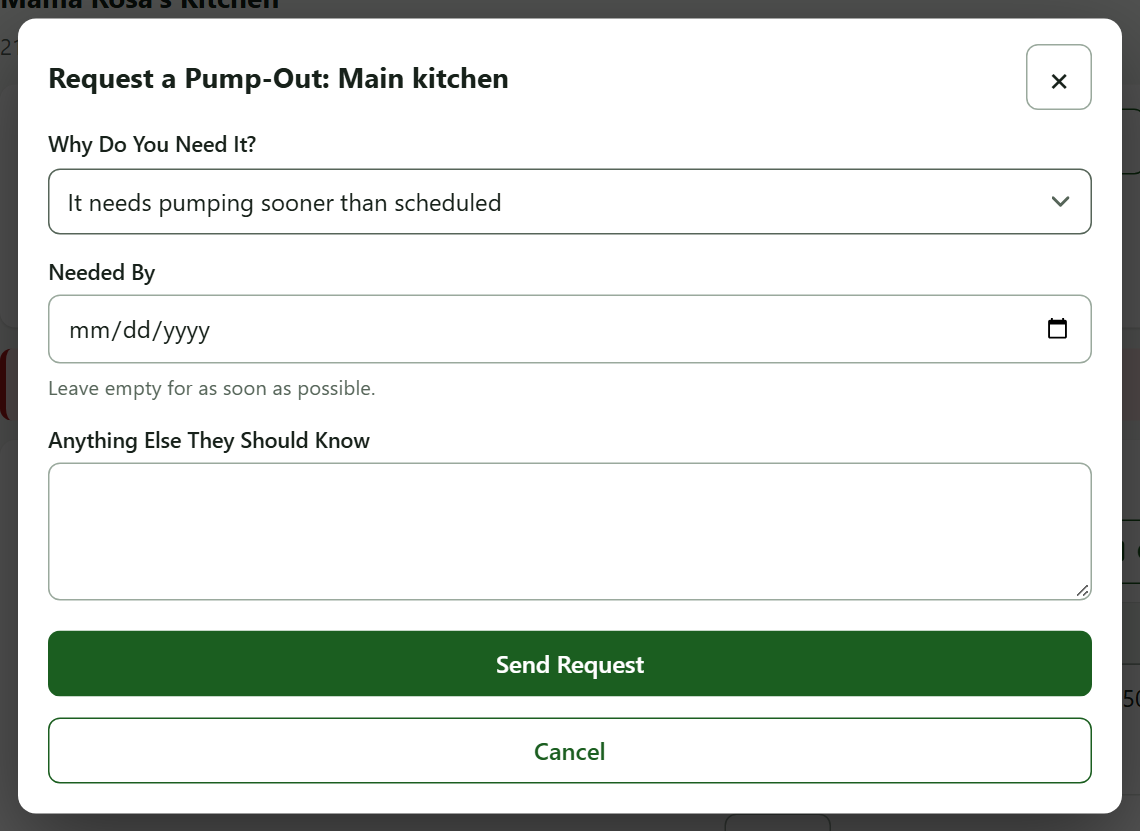
- On your record, find the trap and press Request a Pump-Out.
- Under Why Do You Need It? choose one: Overflowing or backing up (an emergency), An inspection is coming up, It needs pumping sooner than scheduled, or Something else (you must say what).
- Choose Needed By if there is a date, or leave it empty for as soon as possible. It cannot be in the past or more than 120 days away.
- Add anything else they should know, then press Send Request.
You can have one open request per trap, and at most 10 a day.
2. Follow the Answer
The hauler either books or moves a visit (you get the usual booked email) or declines with a reason you are emailed. You can withdraw a request while it is open.
3. Choose a Different Hauler
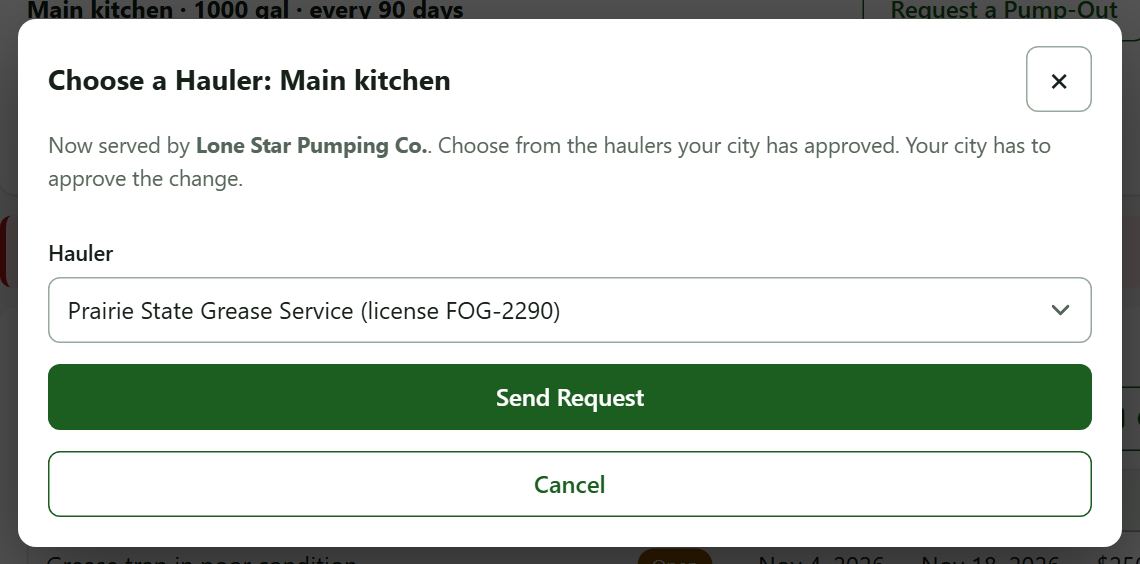
- Next to the trap, press Change Hauler.
- The dialog lists only haulers your city has approved. Choose one and confirm.
- What happens next depends on your city:
- If the city lets restaurants choose, the hauler is asked to take you on. A hauler that accepts everyone assigns you at once; any other has up to a week to accept or decline.
- Otherwise your pick is a request the city approves or declines, and then the hauler is asked.
- You are emailed at each step, and your record shows where the request stands ("waiting for the city" or "waiting for the hauler").
Watch out: You cannot switch while a visit is booked. Wait until it is done or cancelled.
If a hauler declines or does not answer in a week, your record says so and you can choose another.
Practice
- Press Request a Pump-Out, choose It needs pumping sooner than scheduled, and send.
- Press Change Hauler and look at the list.
You did it right if your record shows the open request, and the list excludes your current hauler.
Quick Reference
| To do this | Press | Remember |
|---|---|---|
| Ask for service now | Request a Pump-Out | Overflow also tells your city |
| Switch hauler | Change Hauler | Only city-approved haulers |
| Withdraw | Withdraw Request | Only while open |
When Something Goes Wrong
| What you see | Why | What to do |
|---|---|---|
| "Already an open request" | One per trap | Wait or withdraw it |
| You cannot choose a hauler | A visit is booked, or none is approved yet | Wait, or ask your city |
| A hauler declined | It has its reason on your record | Pick another or contact your city |