 TrapProof Training
All guides › Cities
Exporting, Importing and Connecting Other Systems
What You Will Learn
By the end you will be able to:
- export your pumping records,
- choose which waste streams your program regulates,
- import your existing list of restaurants and traps,
- create an API key so your permit or reporting system can read your data,
- invite your own staff.
Before You Start
- Sign in as a municipal administrator and open Data. In the demo choose Municipal. API keys are blocked on the demo.
How It Fits Together
TrapProof can sit beside the system a city already uses. You can pull data out, push your restaurant list in, or let another system read the data on its own. Nothing here changes pumping records.
Step by Step
1. Export Pumping Records
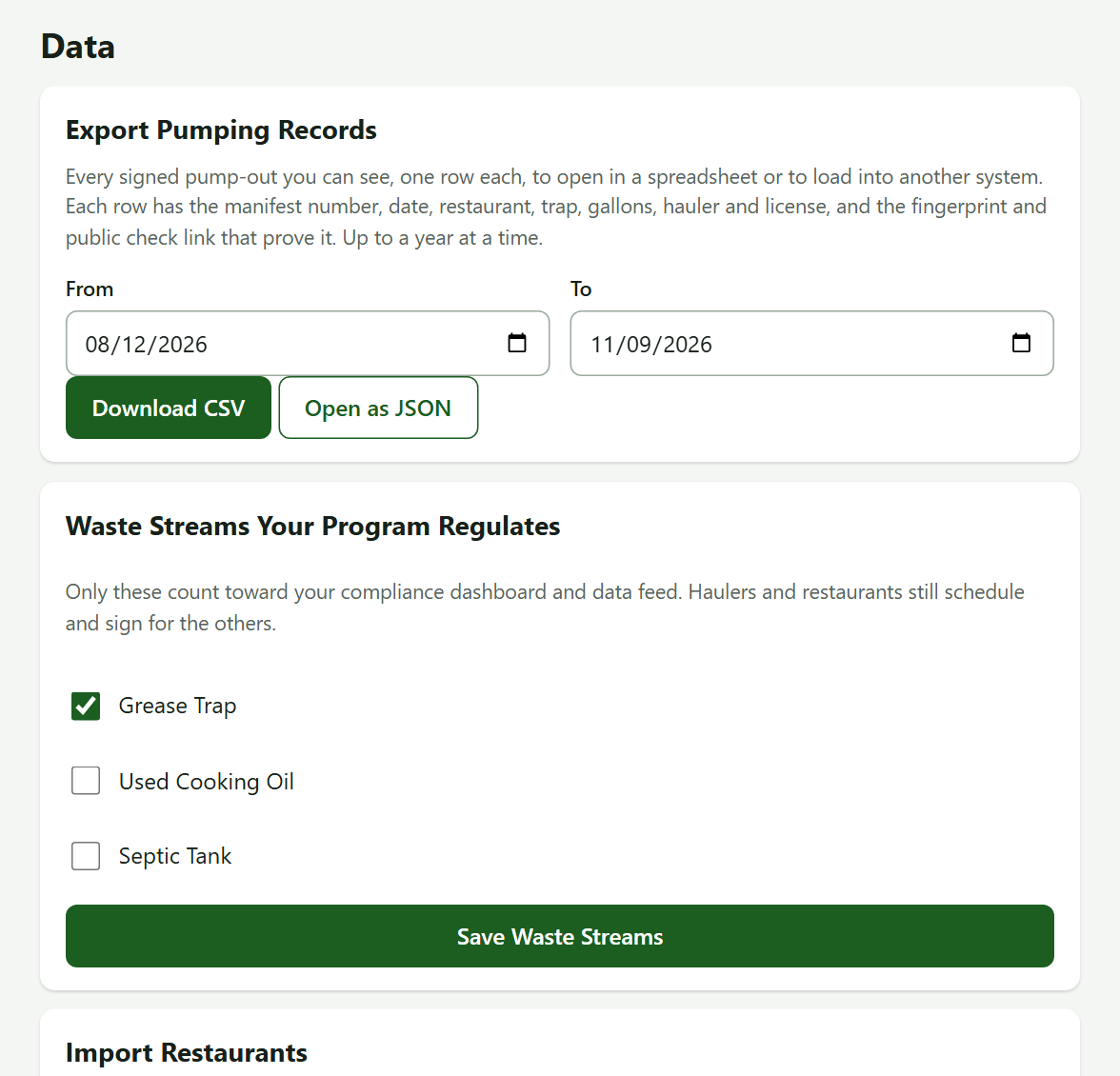
- Set From and To (default last 90 days, at most a year, 20,000 rows).
- Press Download CSV (opens in Excel) or Open as JSON.
2. Choose Your Waste Streams
Tick Grease Trap, Used Cooking Oil and/or Septic Tank, then press Save Waste Streams. Only these count on your dashboard and data feed. At least one must be ticked. Haulers and restaurants still schedule and sign for the others.
3. Import Your Restaurants
- Press Download a template and fill it in: restaurant and address are required. Optional: contact name, email, phone, trap label, trap gallons and pump interval days.
- Under CSV File, choose your file, then press Check File. TrapProof checks everything first and lists any problems by spreadsheet row.
- If it is clean, press the Import button that appears (it carries your file's name). It is all or nothing: one bad row saves nothing.
Restaurants already in your city (matched by name and address) only gain new traps. Nothing is changed or deleted. At most 5,000 rows.
4. Create an API Key
- Under API Keys, type the name of the system that will use it in New Key, then press Create Key.
- Copy the key now. It starts with
tp_and is shown once. TrapProof keeps only a fingerprint of it. - Give it to the other system. It can read pump-outs and the restaurant list, never photos or signatures.
- Revoke a key from the same list when it is no longer needed. You can have up to five.
Watch out: Treat a key like a password. A lost key cannot be recovered: revoke it and make another.
5. Invite Your Colleagues
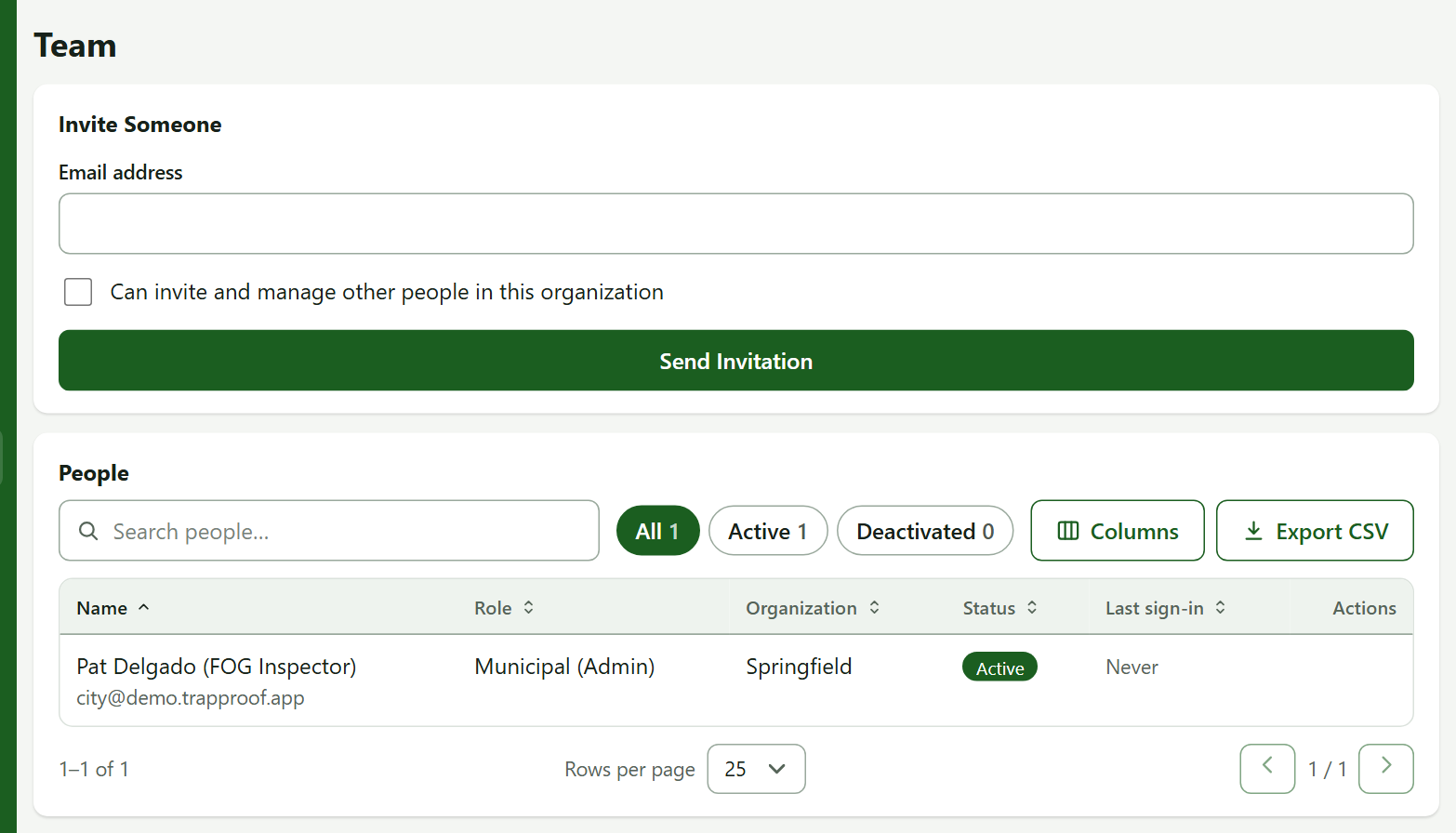
Open Team, enter an email, tick Can invite and manage other people in this organization only for administrators, and press Send Invitation.
Practice
- Download the CSV for the last 90 days and open it.
- Download the import template and open it.
You did it right if the export has one row per pump-out and the template shows the column names above.
Quick Reference
| To do this | Go to | Remember |
|---|---|---|
| Export | Data, Download CSV | City calendar dates |
| Import | Data, Check File | All or nothing |
| API key | Data, Create Key | Shown once, read-only |
When Something Goes Wrong
| What you see | Why | What to do |
|---|---|---|
| Import errors listed by row | A required column is empty or a value is wrong | Fix those rows and check again |
| The data feed answers 401 | Wrong, missing or revoked key | Make a new key |
| No API Keys card | You are not an administrator | Ask your administrator |